
Vibe Coding Was the Warm-Up. Real Work With AI Starts After
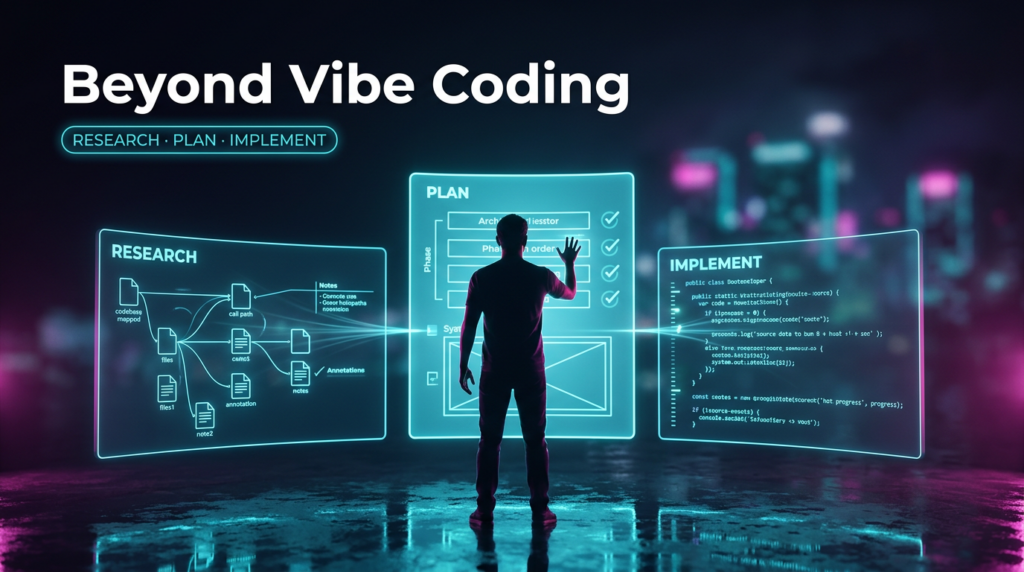
This is Part 2 of two. In Part 1 I argued that AI doesn’t take the job — it takes the mechanical typing, and makes your knowledge matter more than ever. If you buy that, the obvious next question is: okay, so how do I actually work with it? This is the how.
Stop trying to win with a single prompt. One-shot prompting — describe a feature, accept whatever comes back — falls apart the moment the system gets real, and no amount of prompt-polishing saves it. What works is a workflow that plans before it codes, and turns you from the one typing into the one deciding. The rest of this is why, and how.
There was a moment when we all believed asking was enough. “Write me a login endpoint,” enter, and the agent spits out code. It works in the demo, works in the side project, wows the room at a workshop. This is vibe coding — you describe a feature in one sentence and accept whatever comes out. And for a moment it looks like the end of the software profession.
Then you open that same workflow on a production system with two hundred thousand lines you didn’t write yourself, and the magic runs out.
Why vibe coding wastes your time, money, and momentum
The problem isn’t that the model is dumb. The problem is that a single prompt carries too little context for the agent to understand why the system works the way it does.
Anyone who’s tried knows the symptoms:
- Code drifts from intent — you asked for one thing and got something that satisfies the prompt but not what you meant.
- The agent hallucinates APIs that don’t exist, because the real signature was never in its context window.
- You get a 2,000-line PR that takes half a day to review, because you don’t know where to start.
- A week later nobody remembers — you included — why that function looks the way it does.
Bad names are bad
Here’s a subtler one that catches people off guard: the model reads intent from your names, not just your logic. Name a variable users when it actually holds orders, or isValid for a flag whose meaning is inverted, and the agent leans on the label — especially when the behavior isn’t obvious from the code in front of it.
It builds the next ten lines on what the name promised, not what the code does — and the bug that follows looks perfectly reasonable until you trace it. You skim past a misleading name because you know the domain; the model takes it at face value.
Architecture by accident
But the most dangerous layer runs deeper than typos in the code. It’s the architectural decisions the agent had no business making well. Vibe coding optimizes for “works right now, in this file,” not for “fits the rest of the system.”
So the agent drops business logic into a controller because that was the nearest spot. It reaches for a pattern that clashes with how the rest of the app is built — a repository where the project consistently uses something else, a synchronous call where the design calls for an event. It breaks layer and module boundaries it never knew about, because they weren’t in the prompt. It ignores the style and conventions your team spent years shaping.
Each such decision looks harmless on its own — the trouble is they accumulate and quietly erode the consistency that the whole system’s maintainability rests on.
Small is fine — big isn’t
And here’s the key distinction: vibe coding is fine for small, local changes — it’s cheaper and faster, and there’s no point wrapping a typo fix or a single new field in process.
But the more mature the project, and the wider the blast radius of a change — something touching many modules, crossing layer boundaries, or moving the business domain model — the worse vibe coding performs. Because there the price of a bad architectural decision isn’t local. The whole system pays it, for a long time.
This is a real cost. Not abstract “technical debt,” but your hours spent debugging hallucinations, your tokens burned on regenerating from scratch, and — worse — your momentum draining away as the tool that was supposed to speed you up starts slowing you down. Ambition turns into frustration, and the knowledge you hold as an experienced developer — about architecture, patterns, domain boundaries — sits idle, because the workflow never taps it.
The good news: this isn’t AI’s fault. It’s the method’s fault. And the method can change.
Where I hit the wall myself
For a long time I thought the answer was a better prompt — sharper wording, more detail. But a prompt is a single shot. You compress everything you know about a system — its constraints, its conventions, the edge cases you’d never think to write down — into one paragraph, and you always leave something out. Not out of carelessness; nobody holds all of it in their head in the second they hit enter.
Structure that pushes back
What fixed it wasn’t a better prompt — it was structure that pushes back. A good plan doesn’t just record what I asked for; it questions what I forgot to address, works the implementation out in detail, and forces a critical rethink before anything gets built. A review stage challenges the result and catches drift a prompt can’t even see.
The prompt asks the agent to be complete. The plan and the review interrogate me until I am.
So I stopped running it by hand and built it into my own toolkit. I thought I’d stumbled onto something personal — turns out someone had already turned it into a principle.
The answer: stop prompting, start engineering context
The most practical answer to the chaos of vibe coding didn’t come from some big lab — it came from watching how an agent actually works. It was articulated by Dex Horthy of HumanLayer in the essay Advanced Context Engineering for Coding Agents (ACE-FCA for short), and the core is brutally simple:
An agent’s turn is a stateless function. Context in, next step out. The contents of the context window are the only lever you have on output quality — so it’s worth obsessing over.
Everything else follows. Horthy’s rule of thumb is to keep context-window utilization in the 40–60% range (it depends on the problem’s complexity). Push past that — keep cramming in — and recall and reasoning start to crumble. The more you stuff in, the worse the result. You can’t prompt your way back out; you have to design the whole workflow so context is managed deliberately, not piled up by accident.
The instrument of that discipline is a loop you’ve probably seen under various names: Research → Plan → Implement (RPI).
The RPI flow: three phases, one rule
💡 The one rule: we don’t write a single line of code until an approved plan-artifact exists. Everything else is a consequence.
- Research. The agent doesn’t touch code — it maps the terrain: where functionality lives, the conventions, what calls what. Findings land in a doc with concrete
file:linereferences and open questions. Verifying it takes minutes; debugging a decision made on bad reconnaissance takes hours. - Plan. From the research, a plan takes shape: what changes, in what phases, the success criteria, and — just as important — what we deliberately are NOT doing. This is the only right place for architectural decisions — which pattern, where a boundary sits, how it maps to the domain. You approve them here, on a cheap artifact, before the agent guesses them wrong in code. No open questions survive. This file becomes the source of truth.
- Implement. Only now, code — launched in a fresh window loading only the plan. The exhausting research-and-planning session that ate 60–80% of the context distills into a ~200-line artifact taking a dozen-odd percent (Horthy calls this frequent intentional compaction). The agent codes in phases and verifies after each.
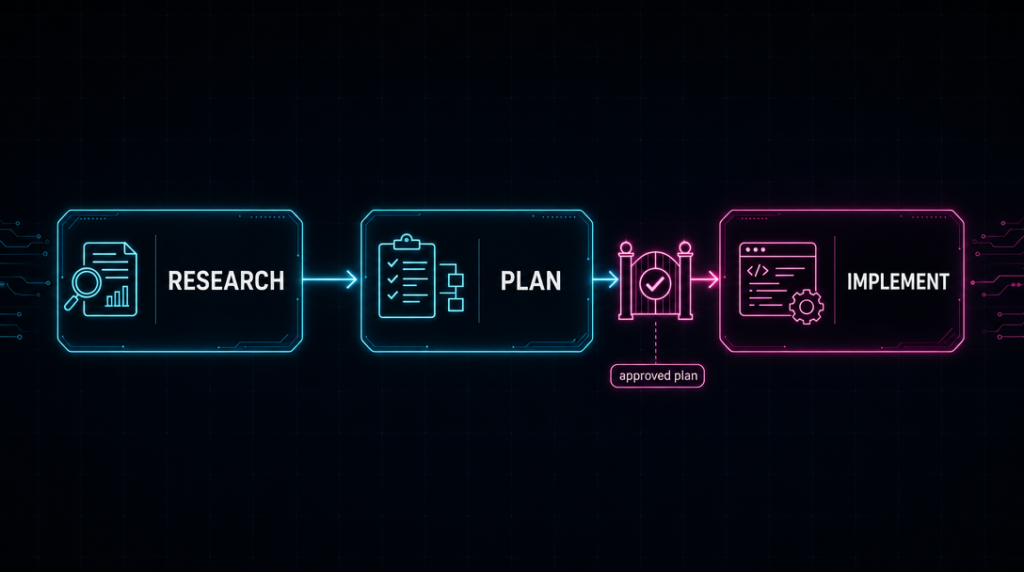
Notice where you are in all of this. You’re not banging out code — you’re reviewing the research and the plan. And as Horthy aptly puts it, reviewing a plan gives you more leverage than reviewing code. Because at the plan stage a fix costs a sentence; at the code stage it costs a refactor.
This skeleton has a wider family. The whole Spec-Driven Development movement (tools like OpenSpec, GitHub Spec Kit, or Kiro) grows from the same intuition: spec/plan before code, code as a derived artifact. RPI is its most “context-first” variant — less ceremony, more emphasis on what the agent actually holds in its window.
Don’t wheel it out for everything
Two caveats before you reach for this on every task.
First: don’t. RPI is heavy machinery. For a small, self-contained change — a typo, one new field, a fix you can hold in your head — a single prompt, spelled out with care, is the right tool; wrapping it in research, plan, and review costs more than the change is worth. The dividing line is simple: if every relevant detail fits in one prompt without you leaving anything out, just prompt it. It’s when it doesn’t that the structure earns its keep.
| Reach for a single prompt | Reach for RPI |
|---|---|
| A typo, one field, a small fix | A change touching many modules or layers |
| Everything fits in one prompt | You’d inevitably leave something out |
| Blast radius is local | A bad call costs the whole system |
Second, and less obvious: even when RPI feels like overhead, it pays a dividend beyond the change itself. Working through research and a plan builds your understanding of the system, forces the architecture into the open, and leaves durable artifacts behind.
The research doc, the plan, the review notes don’t evaporate when the code merges — they become documentation: the context you (and the next agent) load at the start of the next task, so every future session begins already knowing the terrain.
The plan isn’t a cost you pay once — it’s an asset that compounds.
How to start — today, without a revolution
You don’t have to rewrite how you work overnight. Three moves to begin:
Create a CLAUDE.md (or AGENTS.md) in the repo — a project constitution: conventions, stack, security rules, what not to touch. It’s persistent context the agent always reads.
# CLAUDE.md — project constitution

## Stack
- Java 25 + Micronaut, Postgres, Docker

## Conventions
- Controllers stay thin; business logic lives in services
- Map DTOs in dedicated mappers, never in controllers
- One reason to change per class

## Security
- Never log secrets or PII; validate external input at the boundary

## Do not touch
- Generated code, lockfiles, CI config — unless asked
On your next non-trivial task, force the order on yourself: research first (the agent only reads and summarizes), then a plan (which you read), then code. Even with no tooling at all, the sheer discipline of “plan before code” changes outcomes.
Guard the context window. When a session gets long and sluggish, clear it and come back in with the plan instead of dragging a clogged thread along. The public .claude/commands/ from HumanLayer’s repo are a ready starting point if you want slash-commands research → plan → implement right away.
The flow is not dogma — grow it to fit you
The most important thing to grasp: RPI is a skeleton, not scripture. Once you feel it, you’ll start seeing what you are missing — and that’s the right moment to extend it.
A good example of how far this can be taken is Maister — an open project (SkillPanel) that packages the same core as a Claude Code plugin and adds things plain RPI doesn’t have:
- A task orchestrator — instead of picking a phase by hand, it classifies the task from the conversation (feature / bug / enhancement) and chooses the path itself.
- Automatic standards discovery — it scans configs and code, extracts the project’s conventions, and enforces them at the spec, plan, and implementation stages.
- Sharper built-in review — over-engineering detection and a “reality assessment” that checks whether the agent has drifted from what’s actually in the code.
The point isn’t to “use Maister instead of HumanLayer.” The point is that the same skeleton can be grown in many directions — adding a change lifecycle with explicit statuses, a growing registry of lessons, gates between phases, an archive with an audit trail. Each of those additions answers a specific pain you’ll only feel in practice. That’s why the best toolkit is the one you build yourself on top of a proven core — because only you know where your workflow leaks.
It was never really about code
And it grows outward, too. Once you internalize “research the terrain → agree the plan → execute in a fresh, focused context,” you start applying it to almost any task an agent can help with:
- A slide deck — research the audience and material, plan the narrative and structure, then generate.
- A data pipeline or an ML training run — research the data and prior art, plan the experiments and success metrics, then implement run by run.
- A migration, a report, a research memo — same three beats.
The skeleton isn’t about code; it’s about not letting an agent act before it understands the terrain and you’ve approved the direction. Code is just where the pain showed up first.
AI isn’t taking your profession. It’s taking the typing.
Let’s go back to that first impression that vibe coding was the end of the profession. It was the opposite.
What AI actually takes is the least valuable part of your work — mechanically translating intent into syntax. What stays, and becomes more important than ever, are the things you’re really paid for: understanding the problem, deciding on the architecture, judging whether a plan makes sense, catching a dead end before it turns into 2,000 lines to throw away.
In the RPI workflow, your knowledge as an experienced developer doesn’t sit idle — it’s wired into every gate. You review the research. You approve the plan. You say “no, we’re not doing that.” The agent is the implementation engine; you become the architect.
Vibe coding asked you to trust the machine blindly and wasted your time when it failed. Deliberate work with context does the opposite: it uses what you know to make the machine fail less often and more cheaply. You don’t have to choose between “AI will replace me” and “AI is a toy.” There’s a third path — learning to work with it so you waste neither time, nor money, nor your own drive.
And that’s a skill worth mastering now.
Let’s talk
If you recognize yourself here — you sense AI could give you far more than it does now, but the workflow keeps falling apart — write to me.
Whether you want to build your own toolkit or one for your team, I'm happy to help. I mentor developers and teams on exactly this: how to get real leverage out of AI without losing weeks to trial and error — shaping a flow around your project and stack, where teams trip up, and how to grow the skeleton into something that fits how you work, not a generic plugin. A comment or a message is enough.


Links & tools
The core methodology and the RPI commands:
- HumanLayer — ACE-FCA essay: github.com/humanlayer/advanced-context-engineering-for-coding-agents
- HumanLayer — the RPI slash-commands (
research_codebase,create_plan,implement_plan): github.com/humanlayer/humanlayer/tree/main/.claude/commands
Growing the flow into a full toolkit:
- Maister (Claude Code plugin, standards-aware workflows): github.com/SkillPanel/maister
The wider Spec-Driven Development family, if you want to compare approaches:
- GitHub Spec Kit: github.com/github/spec-kit
- OpenSpec: github.com/Fission-AI/OpenSpec
- AWS Kiro: kiro.dev