
Quiet gadgets, loud radios
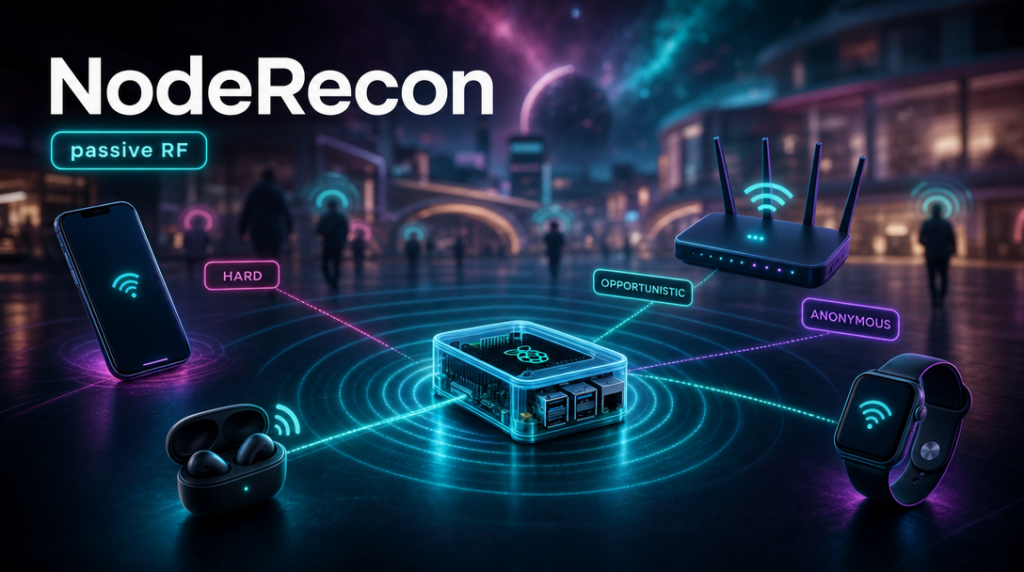
You just have to listen.
Your phone and earbuds sit silent in your pocket — but their radios broadcast you non-stop. I checked how much you can hear in a dozen seconds.
It started as an audit of my own backyard: what do my devices and my network put out into the air before someone else looks? I set the scanner next to my desk — a dozen seconds later I had a list: my router and its vendor, a phone, earbuds, a smartwatch, a couple of IoT gadgets, each with a label saying how much is really visible about it.
That’s how NodeRecon started. The idea is dead simple: if everything around us chatters in the background over WiFi and Bluetooth, how much of it actually leaks? Quite a lot — and you see it in the first few seconds. Which access points are in range and who built them, which Bluetooth devices are hanging around, what they’re looking for.
You emit a real trail
Here’s the thing: you don’t have to break anything. Every phone, laptop, watch or router with WiFi or Bluetooth broadcasts information about itself all on its own — that’s just how the 802.11 and Bluetooth standards work. What goes out on the air:
- WiFi access points beacon their SSID and a real, manufacturer-assigned MAC ~10 times a second.
- WiFi clients send probe requests.
- BLE devices advertise continuously: a manufacturer ID, sometimes a device type, sometimes a name.
- Bluetooth Classic devices (in discoverable mode) answer an inquiry with their type and a real MAC.
A passive listener turns this ambient noise into a profile of the room — no connection, no transmission, no trace.
Trustworthiness
Most “WiFi sniffer” demos quietly lie. The classic party trick — “this phone has been to 3 airports, it knows the SSID Marriott_Lounge“ — mostly stopped working years ago. Modern systems send empty probe requests and randomize their MAC address (Apple devices, for one, work this way). The vendor lookup on a modern phone returns nothing, because the address is fake.
But a random MAC isn’t the end of the story. The address changes — the device doesn’t. The rates and 802.11 capabilities a device advertises (the so-called Information Elements), its BLE service profile, the little quirks of its stack — all add up to a fingerprint that survives address rotation. A bit like a browser fingerprint: the IE set alone groups devices by model and stack, and to tell two identical units apart you add a timing pattern of their transmissions. And this isn’t theory — it’s a documented tracking technique that works despite randomization.
NodeRecon doesn’t go that far, but it reads pieces of that fingerprint: the vendor from IEs, the device type, BLE service UUIDs. And that’s already enough to pull what a device is and what it’s for out of an “anonymous” address.
So NodeRecon doesn’t pretend. Every device carries a confidence label:
- HARD — a real, global MAC with a known vendor. Access points, IoT, Bluetooth Classic devices. Trustworthy.
- OPPORTUNISTIC — a randomized MAC that still leaked something useful (a named network it probed, a BLE name, a manufacturer ID). Hints, not identity.
- ANONYMOUS — a randomized MAC with no leak. We see it; we can’t tie it to anyone.
On a live scan you immediately tell the routers and infrastructure (hard facts: “MikroTik”, “Huawei”) from the phones (anonymous, randomized) — and the in-between, where a device leaked a manufacturer or a network name.
Sounds like little? For a well-behaved phone or laptop — sure, randomization does its job. But a device in new surroundings still searches and emits. It gets interesting with the peripherals — earbuds, fitness bands, IoT, beacons and Bluetooth Classic gear still leak plenty. A single scan is a snapshot; the picture fills in fast when you listen longer, or when even one chatty device is in the room.
I didn’t reinvent the wheel — Kismet has collected this data for years, at larger scale and with more fields. What I added is what’s usually missing: honest confidence labels and a lens that makes this invisible trail tangible. And the room to extend it and orchestrate it with other tools is practically unlimited.
What it actually shows
Concretely — what lands on the screen after a scan:
- WiFi: APs and clients, SSID / probe history, vendor from the IEEE OUI registry, signal strength, channel-hopped across 2.4 and 5 GHz.
- BLE (passive, silent): manufacturer from the Bluetooth SIG Company ID, device type from the GAP Appearance field (Phone, Earbuds, Smartwatch, Heart-rate sensor…), service UUIDs, RSSI. Flip a switch to active scan and you also get device names — at the cost of transmitting.
- Bluetooth Classic: for discoverable devices, the type (Class of Device: “Phone / Smartphone”, “Audio / Headphones”), the real vendor (Classic uses a real MAC, so the manufacturer is solid), and the name. My Samsung phone in discoverable mode showed up instantly as
HARD · Phone · Samsung. - Anomalies: an unusually strong source that matches no known AP gets flagged — it may point to a rogue access point, interference, or simply a device right next to you.
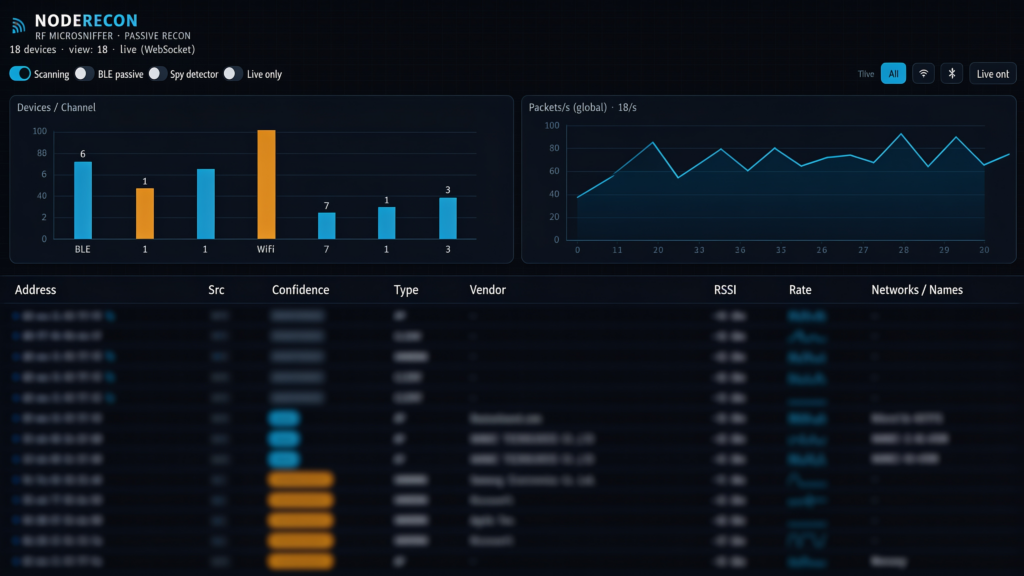
A shot from a real scan. SSIDs and device names are deliberately blurred — because that’s exactly the point of this piece: such a name can lead straight to your door (one lookup on WiGLE and you have the coordinates).
Under the hood
Hardware:
- Raspberry Pi 4 — the whole thing fits in a backpack.
- A WiFi card in monitor mode — listens to 802.11 frames while channel-hopping.
- The Pi’s built-in Bluetooth in BLE mode — passive advertisement listening.
- A power bank or PSU — power in the field.
That small footprint isn’t a gimmick. The whole thing fits in a backpack — but it can just as well stay behind as a drop device: NodeRecon has a headless mode that quietly records a session to an encrypted file, no dashboard, no transmitting. (Only on your own turf or in an authorized test, of course — more on that below.)
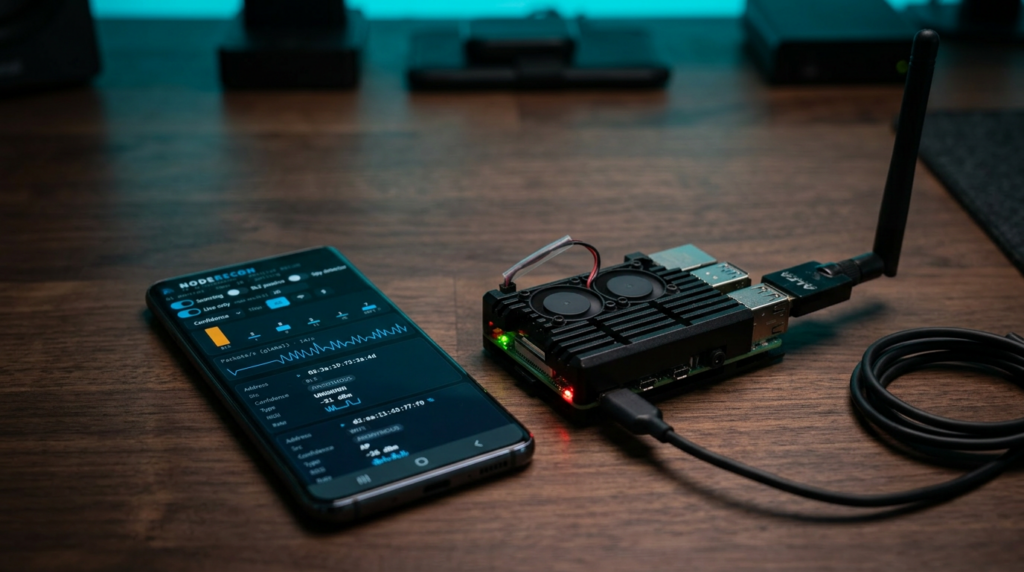
The whole rig: a phone with the dashboard, a Raspberry Pi in an aluminium case, an Alfa card with an antenna, and a power bank.
Software: one self-contained app in Java. I grab WiFi through libpcap in monitor mode, and Bluetooth through a raw HCI socket driven straight from Java with the new Foreign Function & Memory API (Panama) — passive LE scanning plus BR/EDR inquiry, without a single line of native glue code. Sessions land in an AES-256 encrypted SQLite file, and you get a Markdown report at the end.
I put the whole thing together in a single day — a Raspberry Pi, a few libraries, publicly available knowledge. And the near-unlimited room to extend it is proof of how low the bar now sits to hear what your surroundings broadcast.
Does passive OSINT end at listening?
Recon is only the first half. Although NodeRecon stays passive by design, the same trail it collects is fuel for offensive tools — one leaked open-network name a phone keeps calling for is enough to stand up an evil twin it may join on its own.
So maybe somewhere there’s already a NodeTwin — the same node, except this time it’s the one transmitting: luring, spoofing, standing up a twin. But that’s a topic for another post 😉.
Watch what you emit
This post is really about awareness. Today, with modern tooling, a passive device like this comes together in a single day from off-the-shelf parts — and your devices are audible to anyone who cares to listen. For an ordinary user, that’s a reminder to turn the radios off when you don’t need them. For a pentester, it means the RF layer is shadow-IT that a physical audit usually never checks: a map of the hardware, rogue APs and leaked names, in a minute and without a single transmitted packet.
Keep in mind: passive listening to broadcast frames isn’t forbidden, but MAC addresses and device names can be personal data — collecting and profiling other people’s gear without a legal basis (GDPR) is another matter entirely. Active operation — transmitting, spoofing a network (evil twin), capturing credentials or communication content — sits on completely different legal footing, and without consent it can be a crime.
NodeRecon is a private tool — but plenty of others, freely available online, do the same thing.